
Product cards and posters with exact text — right in the chat
The main product photo on a marketplace decides whether people open the card or scroll past. But a card is more than a nice shot: it needs a headline, the volume and a couple of clear benefits. And on a poster, a single typo in the name or address ruins everything. Now EYWA does both right in the chat: a card from a product photo, and a poster with exact text from a couple of lines.
What to send
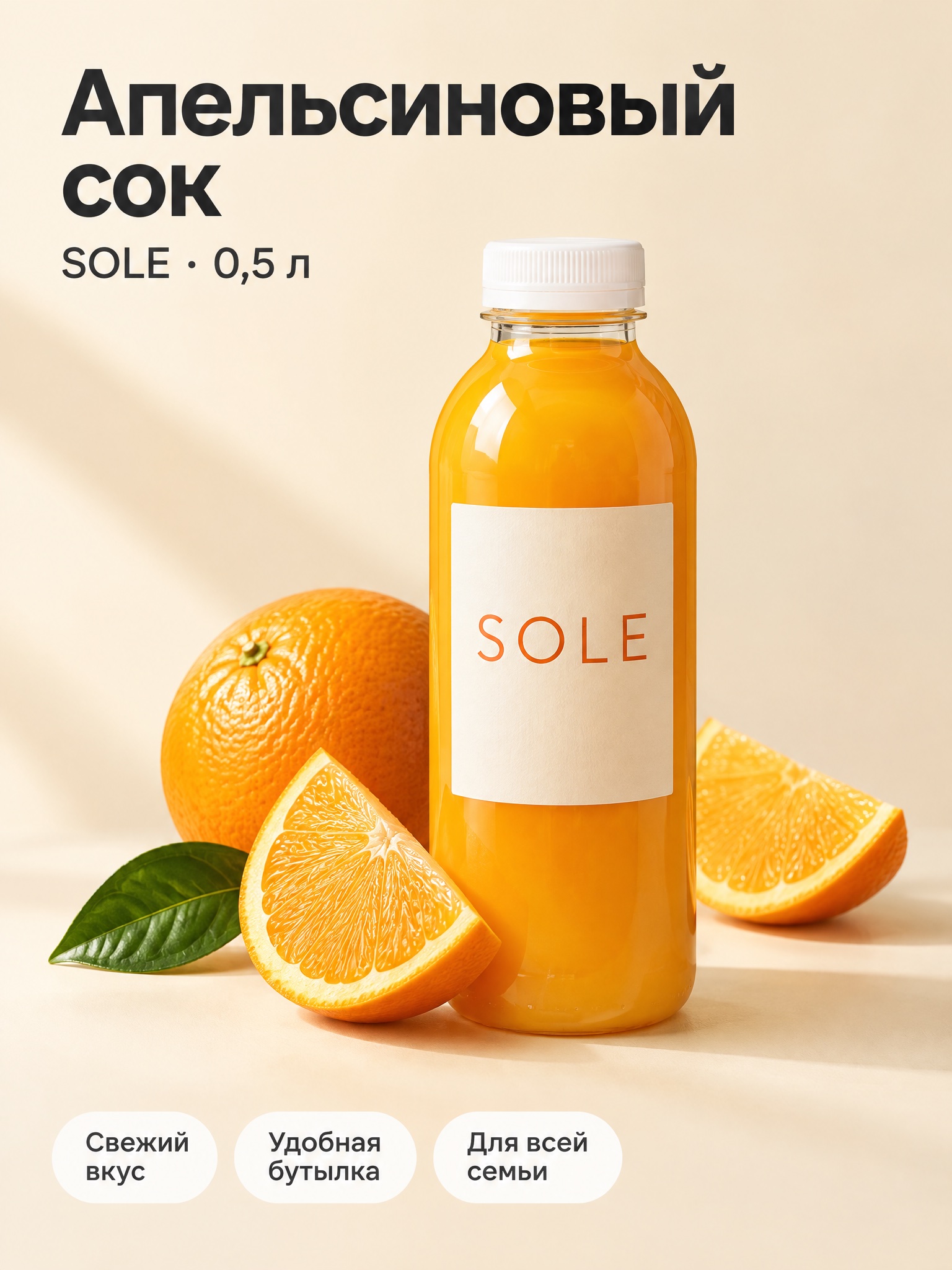
- A product photo. A phone snapshot works — even off a white background, in someone's hand or outdoors.
- Name and volume: “SOLE orange juice, 0.5 l”.
- 2–4 benefits the product really has: “fresh taste”, “handy bottle”.
EYWA doesn't invent product claims. The card shows what you wrote: if the request has no benefits, EYWA asks rather than adding “100% natural” on its own.
What you get
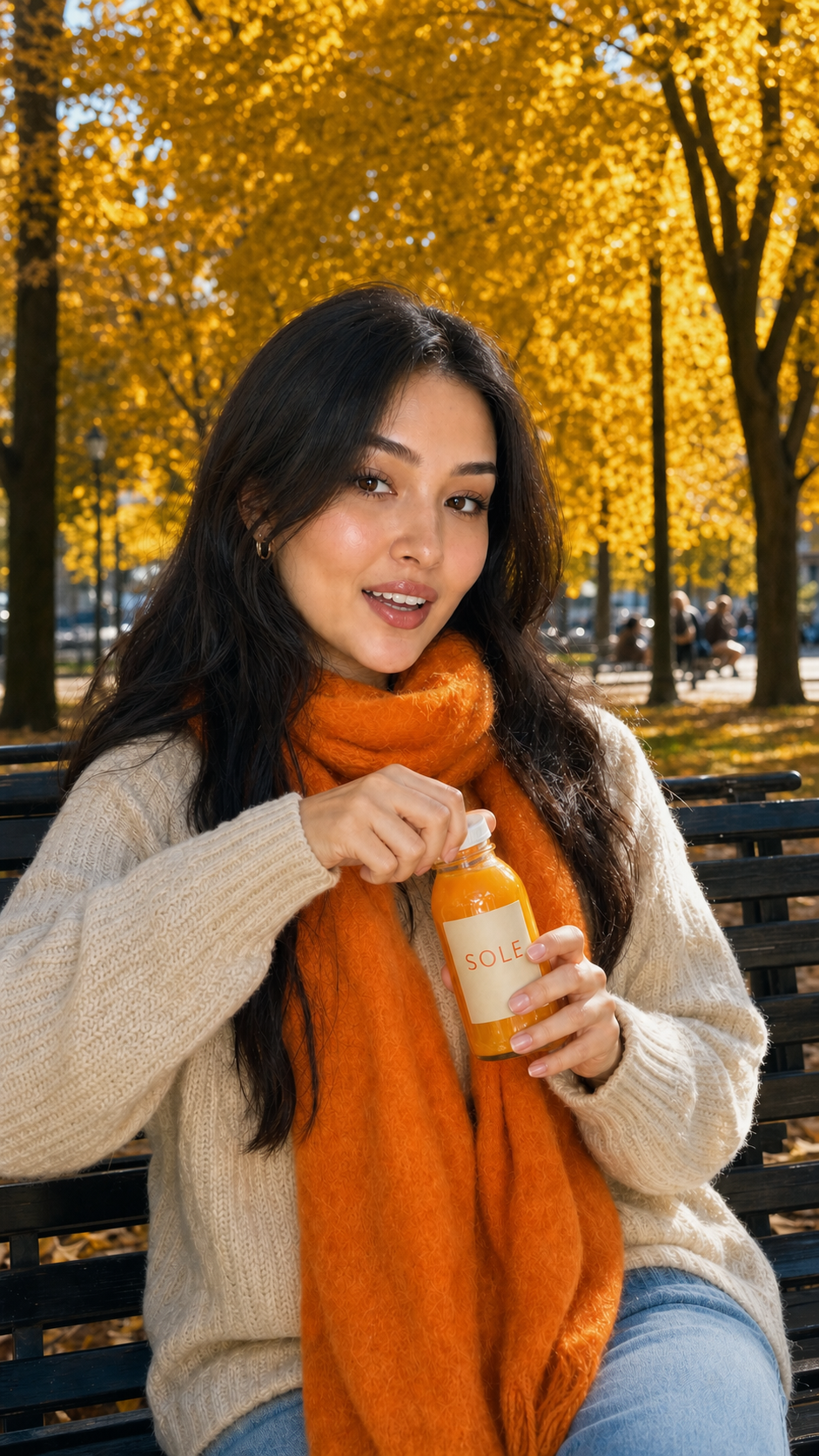
The bottle in the hand of a girl on a bench became the product at the center of the frame, surrounded by a headline, the volume and benefit badges. The 3:4 format is the one marketplaces ask for.
- Main image — the product on a clean white background, no text: many platforms require exactly this for the first picture.
- Infographic slide — the same product with a headline and benefit badges, for the second and later pictures.
- 2:3 poster — an event poster, an announcement or a post with your text.
A poster with exact text
Text on generated images used to come out with jumbled letters. EYWA puts exactly what you sent on the poster — in Russian, Uzbek or English. Still reread the name, date and address before printing: the poster is your responsibility.

How to make changes
Edits are made in plain words, in the same conversation. No need to redraw everything from scratch.
- “Make the badges bigger” — the text stays readable even on a small screen.
- “Change the background to white” — a version for the main image.
- “Remove the third badge” or “add ‘no added sugar’” — if that's true of the product.
- “The same poster in Uzbek” — the text is translated, the style stays.
Tips
- 1Keep it short. 2–6 words per badge. Nobody reads a long sentence on a card.
- 2Exact spelling. Write the brand name, volume and address in the request exactly as they should appear on the image.
- 3Only what you can prove. Don't put “No. 1”, “cures” or “100% natural” without documents — the platform may take the card down.
- 4Your own photo. The sharper the product shot, the more accurately it shows up on the card.
Cards and posters are paid for with credits, like other images in the chat. More about images in “Logos, posters and images right in the chat”, and about bringing a product photo to life in a short clip in “Video in the chat: bring a photo to life and shoot a short clip”.
Bottom line
A product photo, its name and a couple of real benefits are enough for a marketplace card. A couple of lines with a date and an address are enough for a poster without typos. Send the chat a photo of your product and see for yourself.
More articles
Your voice in your videos: voice cloning
Record a minute of your speech — EYWA clones your voice, and your narrated videos start speaking as you. In Uzbek, Russian and English.

The Uzbek ChatGPT: what EYWA is and what it can do
Answers in three languages, hands you finished files, draws, makes videos and runs a company's day-to-day. A walk through its features with real prompts.
Try it on your own task
Open the chat and send what you need right now. 120 messages a month — free, no card required.